
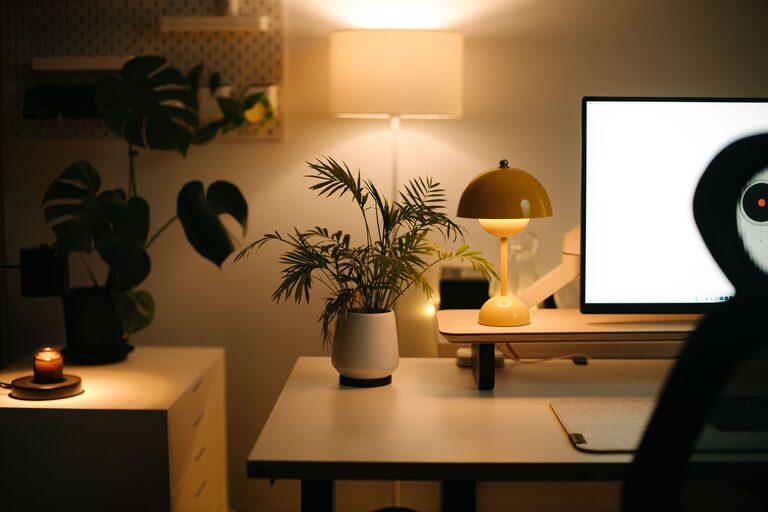
Creating a home office that is both cozy and productive is essential for anyone working remotely or spending significant time on personal projects. A thoughtfully designed workspace can boost your focus, reduce stress, and make your daily routine more enjoyable. In this post, we’ll cover practical tips to help you set up a home office that feels inviting while supporting your productivity.
Choose the Right Location
Find a Quiet Spot
Selecting a quiet area in your home is crucial to minimizing distractions. Ideally, pick a room or a corner away from high-traffic zones, like the kitchen or living room.
Natural Light is a Bonus
Where possible, position your desk near a window. Natural light has been shown to improve mood and focus. If sunlight isn’t an option, invest in good-quality lighting to keep your space bright.
Select Comfortable and Functional Furniture
Invest in a Good Chair
Your chair is one of the most important pieces of furniture. A supportive, ergonomic chair helps maintain good posture and reduces discomfort during long work hours.
Desk Size Matters
Choose a desk that fits your needs and available space. Make sure it’s large enough for your computer, notebooks, and other essentials without feeling cluttered.
Organize with Purpose
Use Storage Solutions
Keep your workspace tidy by incorporating storage options like shelves, drawers, and organizers. This helps reduce clutter and keeps important items within reach.
Cable Management
Messy cables can be distracting and look unsightly. Use cable clips, sleeves, or organizers to keep wires neat and out of sight.
Add Personal Touches
Incorporate Plants
Plants bring life to your office, improve air quality, and create a sense of calm. Choose low-maintenance indoor plants like succulents or pothos.
Decorate Thoughtfully
Add artwork, photos, or décor items that inspire and motivate you. Avoid overcrowding to maintain a clean, focused environment.
Control Noise and Distractions
Use Noise-Cancelling Headphones
If background noise is unavoidable, noise-cancelling headphones can help you concentrate better.
Create a “Do Not Disturb” Signal
Set clear boundaries with family or housemates by using signs or signals indicating when you’re working and shouldn’t be interrupted.
Prioritize Lighting and Ambience
Layer Your Lighting
A combination of task lighting (desk lamps), ambient lighting (overhead lights), and accent lighting can create a balanced and comfortable atmosphere.
Use Warm Light Bulbs
Warm-toned bulbs (2700K-3000K) create a cozy ambiance, which can be more relaxing than bright, cool-toned LEDs.
Establish a Routine
Designate Work Hours
Having set work hours helps separate your professional and personal life, making it easier to switch into productivity mode.
Take Breaks
Incorporate short breaks to stretch and rest your eyes. This can prevent burnout and improve your overall focus.
Incorporate Technology Wisely
Use Dual Monitors
If your work involves multitasking or detailed tasks, adding a second monitor can boost efficiency.
Ensure Reliable Internet
A strong, stable internet connection is crucial for remote work. Test your setup and upgrade if necessary.
Keep Comfort in Mind
Temperature Control
Make sure your workspace stays at a comfortable temperature, whether it means adding a small fan, heater, or adjusting your home’s thermostat.
Add a Cozy Element
Consider adding a soft rug, cushions, or a small blanket for extra comfort during long hours.
Final Thoughts
Creating a cozy and productive home office is about balancing comfort with functionality. By carefully choosing your space, furniture, lighting, and organizational tools, you can develop a workspace that supports your work goals and well-being. Remember that your home office should evolve with your needs, so don’t hesitate to make changes that enhance your comfort and productivity over time.
With these tips, you’ll be well on your way to enjoying a more inspiring and efficient home office environment.